A mais recente atualização do VBT da Spleeft apresenta Smart Zero para uma deteção de repetições mais fiável, controlo remoto do Apple Watch, Espaço de Experimentação de Dados da IMU, e duas novas métricas: Velocidade média de propulsão e Tempo até atingir a velocidade máxima. Estas ferramentas proporcionam aos treinadores dados mais fiáveis, um fluxo de trabalho mais rápido e mais contexto na análise de cada repetição.
Já passaram alguns meses desde a nossa última atualização. À medida que a IA continua a evoluir, dedicámos algum tempo a refletir sobre como o Spleeft pode continuar a acrescentar valor real aos treinadores e atletas — a razão pela qual este projeto existe. O nosso papel não é reproduzir tarefas que outras tecnologias já conseguem realizar de forma mais personalizada, mas sim fornecer dados de alta qualidade e ferramentas práticas que possibilitem melhores decisões de treino.
Melhorámos a deteção de repetições com o Smart Zero, alargámos as possibilidades de utilização do Apple Watch durante uma sessão, adicionámos o acesso ao sinal bruto da IMU subjacente a uma série de exercícios e introduzimos duas métricas úteis para analisar a qualidade do movimento.
1. Smart Zero: deteção de repetições mais fiável
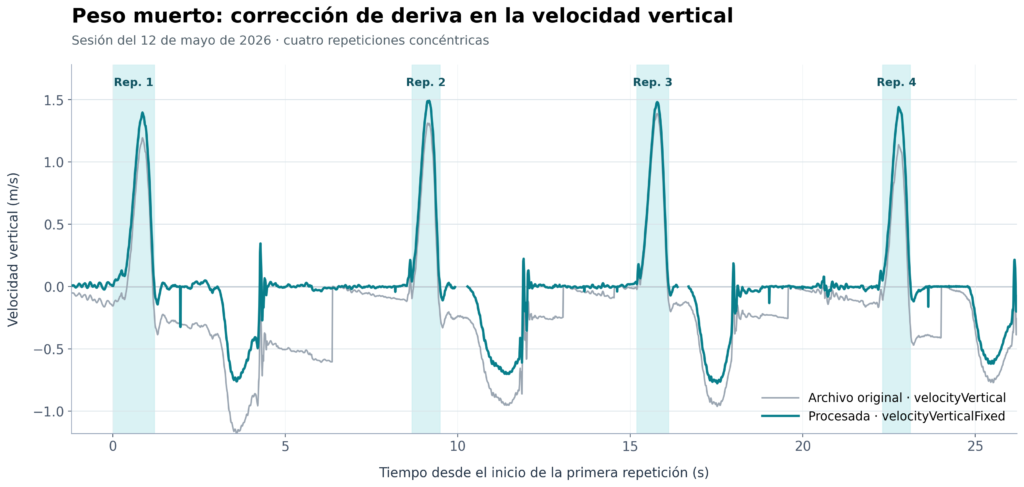
Smart Zero é um novo modo de medição concebido para melhorar a deteção do início e do fim de cada repetição. É especialmente útil em levantamentos com mais ruído, em que pequenos movimentos, vibrações ou o funcionamento da máquina podem dificultar a identificação dos limites reais de uma repetição.
O objetivo é simples: reduzir as deteções incorretas, mantendo ao mesmo tempo o fluxo de trabalho de medição rápido e prático em condições reais de treino. A função «Smart Zero» pode ser ativada ou desativada nas definições de medição, para que possa escolher o modo que melhor se adequa ao exercício e à sua configuração.
2. Utilizar o Apple Watch como uma IMU controlada remotamente
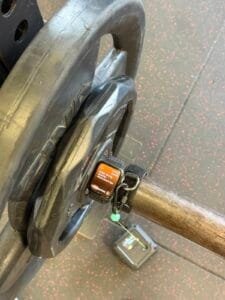
O Apple Watch pode agora desempenhar um papel mais ativo como sensor durante as sessões de VBT. Coloca o relógio na barra e controla-o a partir do teu iPhone como se fosse mais uma IMU.
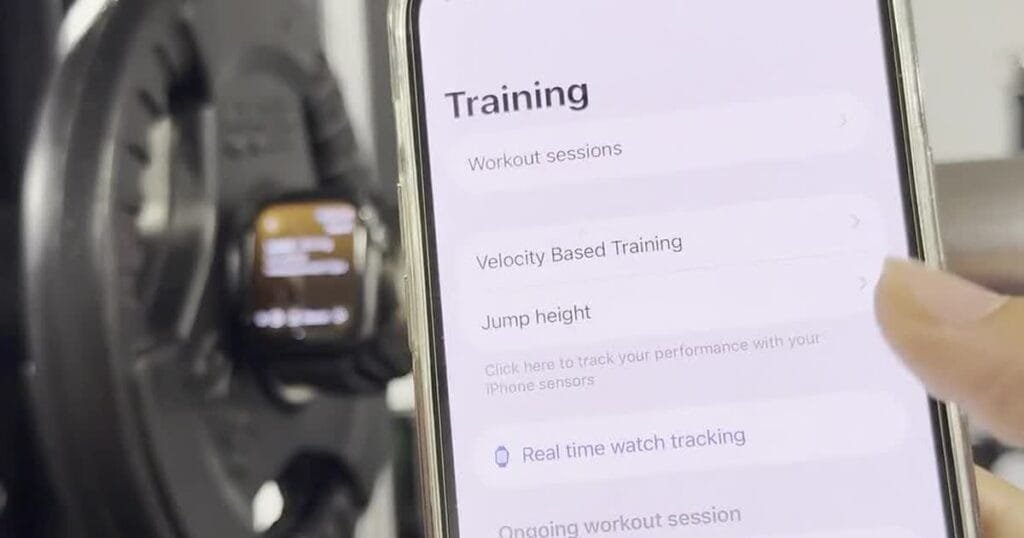
A partir do iPhone, é possível configurar a série e o atleta, enquanto o Watch permanece na posição para medir o movimento. Isto torna o fluxo de trabalho mais prático para os treinadores, especialmente quando trabalham com vários atletas ou quando o sensor precisa de permanecer fixado à barra.
Também está disponível o controlo remoto para medições de salto, o que ajuda a manter a configuração da sessão consistente em diferentes tipos de avaliação.
Configure a medição remotamente a partir do iPhone, enquanto o Apple Watch permanece na barra.
3. Mais independência para os atletas que utilizam o Apple Watch
Quando o relógio é utilizado como sensor, os atletas podem agora alterar o seu perfil diretamente a partir do Watch. Isto dá-lhes mais autonomia, sem obrigar o treinador a interromper a configuração da medição no iPhone.
É uma pequena alteração com um impacto significativo em ambientes de treino partilhados: deixe o relógio na barra, deixe que o próximo atleta selecione o seu perfil e mantenha a sessão em andamento.
Selecione o perfil de um atleta diretamente a partir do Apple Watch.
4. Analise o sinal bruto com o IMU Data Playground
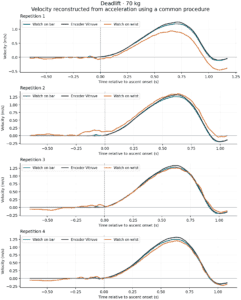
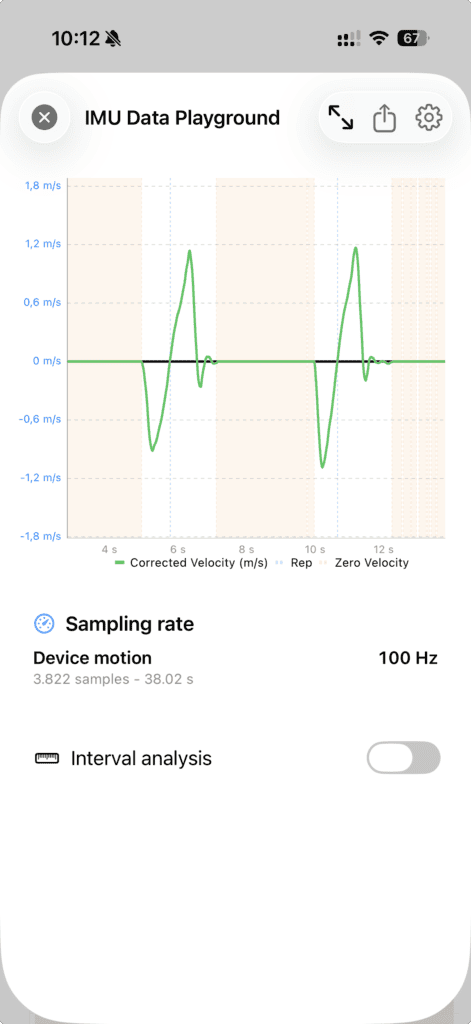
Cada medição tem um sinal subjacente. O IMU Data Playground torna esse sinal visível: guardar os dados brutos da IMU de um conjunto, reabri-los a partir do histórico de sessões e analisá-los sempre que for necessário examinar um resultado mais detalhadamente.
A transparência é a ideia central. O acesso ao sinal bruto tem sido essencial para melhorar o nosso próprio algoritmo, ajudando-nos a identificar e corrigir problemas na forma como os dados são processados. Decidimos disponibilizar essa mesma ferramenta a todos os utilizadores, para que possam ver os dados subjacentes a um resultado, em vez de se basearem apenas no valor final da velocidade.
Também pode ser utilizado para recolher dados brutos do Apple Watch relativos a qualquer movimento e processá-los posteriormente. Quer esteja a testar uma nova configuração de exercício, a investigar um resultado invulgar ou a partilhar dados com o apoio técnico da Spleeft, fica com a informação necessária para compreender como esse resultado foi obtido.
Os dados brutos são sincronizados através do iCloud, para que um treinador possa analisar o sinal sempre que haja motivos para suspeitar de um problema na medição. Como estes ficheiros utilizam o armazenamento do iCloud, o guardamento é opcional e pode ser ativado nas Definições. Também pode escolher um período de eliminação automática para os dados brutos mais antigos ou mantê-los indefinidamente. Saiba mais sobre Integração do iCloud e do TrainingPeaks no Spleeft.
Existem dois modos de captura. O modo padrão, com carga útil reduzida, guarda os eixos de aceleração e gravidade necessários para o reprocessamento do sinal, mantendo simultaneamente um consumo de espaço de armazenamento mais baixo. Modo Laboratório também regista os fluxos de dados do giroscópio e de sensores adicionais de alta frequência. Recomendamos o Modo Laboratório apenas quando for necessário obter dados de todos os sensores disponíveis para uma análise detalhada.
5. Duas novas formas de compreender cada repetição
Esta atualização adiciona duas novas métricas VBT:
- Velocidade média de propulsão (MPV): a velocidade média durante a fase de propulsão da repetição. O seu cálculo é explícito: para medições no iPhone, o Spleeft avalia o fluxo de aceleração a 100 Hz e marca o início da travagem após três amostras consecutivas inferiores a −9,81 m/s². No caso do leg press inclinado, o limiar é ajustado para ter em conta o ângulo dos trilhos. As medições do Apple Watch utilizam a frequência de amostragem selecionada pelo respetivo modo de medição (100 ou 200 Hz). Trata-se de uma regra clara e verificável, em vez de uma métrica oculta.
- Tempo até atingir a velocidade máxima: o tempo necessário para atingir o ponto mais rápido da repetição.
Nem todos os levantamentos incluem uma fase de travagem significativa durante o movimento concêntrico. Por essa razão, é comum que a velocidade média e a MPV sejam idênticas em muitas repetições. Em conjunto, estas métricas acrescentam um contexto útil à velocidade de um levantamento: a MPV ajuda a descrever a fase de propulsão, enquanto o Tempo até à Velocidade Máxima pode ajudar a compreender a rapidez com que a força está a ser exercida.
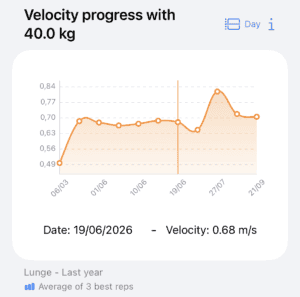
Tal como acontece com a velocidade máxima, o MPV não se limita ao resultado de uma única série. Pode selecioná-lo em todo o Spleeft — no feedback em tempo real, na revisão da sessão, no histórico e nas tendências — e utilizá-lo para criar e analisar o seu Perfis de carga-velocidade. Em breve publicaremos uma explicação mais pormenorizada destes cálculos.
Concebido para ambientes reais de coaching
Por trás destas funcionalidades está uma ideia prática: O VBT deve adaptar-se à forma como os treinadores e os atletas já trabalham. Quer estejas a fazer medições sozinho, a treinar um grupo, a utilizar um Apple Watch na barra ou a analisar uma repetição inesperada, esta atualização oferece-te mais controlo sobre o processo e mais contexto em torno do resultado.
O treino online é uma parte particularmente importante dessa visão. Através do iCloud, os treinadores podem manter os perfis dos atletas e os dados de treino interligados, receber sessões dos seus atletas e analisar as informações de que necessitam sem criar atritos desnecessários no fluxo de trabalho do atleta. A combinação de medições fiáveis, acesso ao sinal subjacente quando necessário e colaboração baseada no iCloud facilita o trabalho de treino a partir de qualquer lugar, mantendo-se a par do que acontece em cada série.
Mais melhorias em toda a aplicação
Para além das funcionalidades principais, esta atualização inclui muitas pequenas melhorias que tornam a experiência do dia-a-dia mais fiável e mais fácil de compreender:
- Mais comentários úteis sobre as medições. O Spleeft fornece agora recomendações mais claras quando o sinal indica que uma breve pausa, uma posição de repouso mais correta ou uma configuração diferente poderiam melhorar o resultado.
- Modos de medição adaptativos. Quando o sinal está estável, o Spleeft pode recomendar o modo «Boost» para obter um feedback mais rápido. Quando deteta desvios repetidos, pode passar automaticamente para o modo «Balanced» para dar prioridade a medições consistentes. Pode sempre alterar o modo manualmente, a qualquer momento.
- Explicações mais claras sobre os dados tratados. Quando uma repetição é recalculada para melhorar a precisão, a aplicação explica o motivo. Os perfis de carga-velocidade também incluem diagnósticos que mostram como foram selecionadas as repetições e as cargas utilizáveis.
- Um fluxo de trabalho mais eficaz no iCloud para o coaching online. Melhorámos a forma como os perfis dos atletas, as sessões, os dados brutos e as transferências do Watch são mantidos em sincronia. O Spleeft também apresenta um aviso claro caso o armazenamento do iCloud esteja cheio, para que saibas quando as novas sessões estão a ser guardadas localmente em vez de serem sincronizadas.
- Importações mais flexíveis e sincronização com a plataforma. Os dados dos atletas podem ser importados a partir de ficheiros CSV e XLSX, com uma compatibilidade alargada para os dispositivos VBT suportados. Os treinos registados com o Apple Watch ou importados manualmente para um perfil pessoal também podem ser sincronizados automaticamente com o Intervals.icu e o Strava, enquanto a sincronização com o TrainingPeaks fornece agora informações mais claras quando uma autorização do fornecedor ou uma limitação da conta impede parte de um carregamento.
Atualizar o Spleeft no iPhone e no Apple Watch para experimentar o novo fluxo de trabalho.