更智能的VBT工作流程:Smart Zero、Apple Watch控制以及新指标

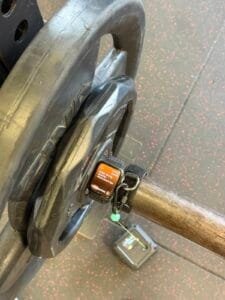
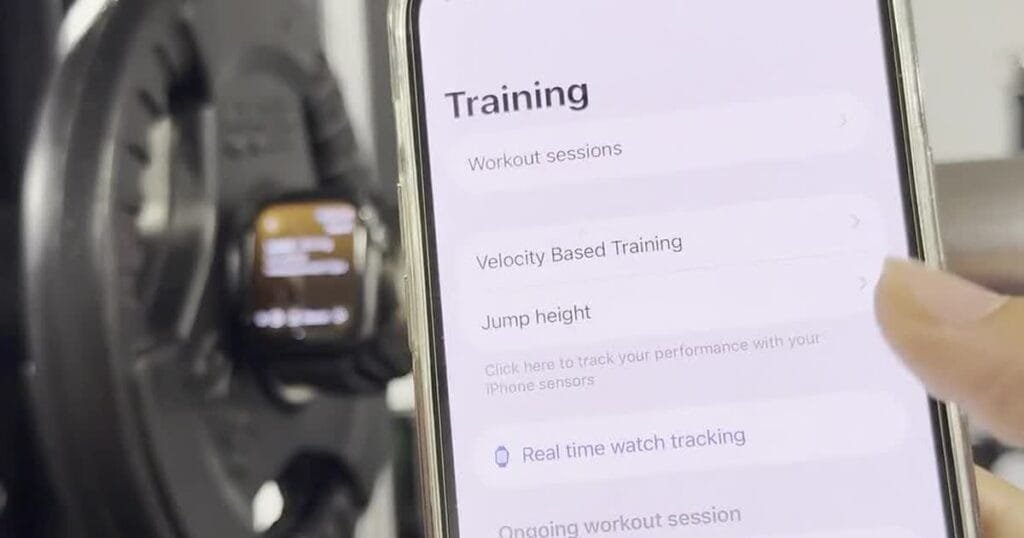
iPhone 控制着安装在横杆上的 Apple Watch,用于进行 Spleeft VBT 测量。.

Spleeft’s latest VBT update introduces Smart Zero for more reliable repetition detection, remote Apple Watch control, IMU Data Playground, and two new metrics: Mean Propulsive VelocityTime to Peak Velocity. These tools give coaches more reliable data, a faster workflow, and more context when reviewing each repetition.

It has been a few months since our last update. As AI continues to move forward, we have taken time to consider how Spleeft can keep adding real value for coaches and athletes—the reason this project exists. Our role is not to reproduce tasks that other technologies can already perform in a more personalised way, but to provide the high-quality data and practical tools that make better coaching decisions possible.

We have improved repetition detection with Smart Zero, expanded how the Apple Watch can be used during a session, added access to the raw IMU signal behind a set, and introduced two useful metrics for analysing movement quality.

1. Smart Zero: more reliable repetition detection

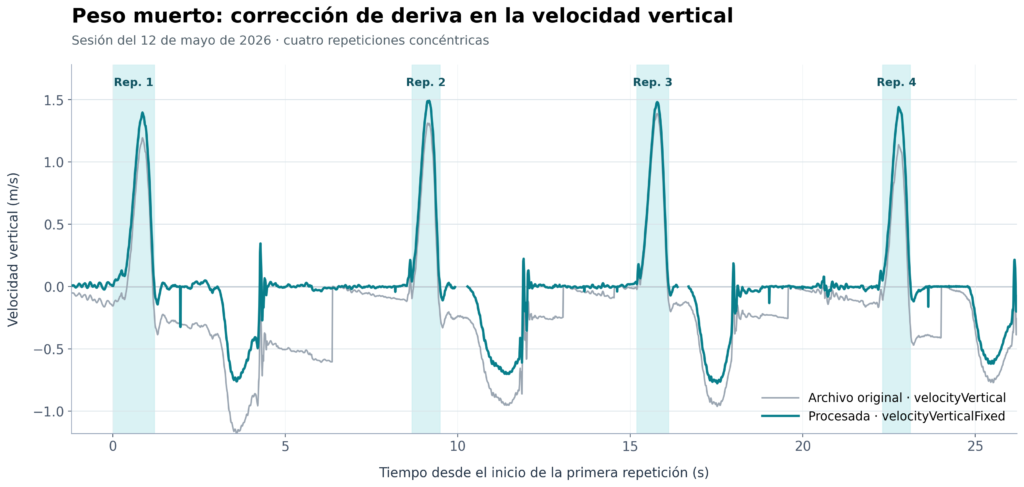
Smart Zero is a new measurement mode designed to improve the detection of the start and end of each repetition. It is especially useful in noisier lifts, where small movements, vibration, or machine mechanics can make it harder to identify the true boundaries of a rep.

The goal is simple: reduce incorrect detections while keeping the measurement workflow quick and practical in real training conditions. Smart Zero can be enabled or disabled from the measurement settings, so you can choose the mode that best fits the exercise and your setup.

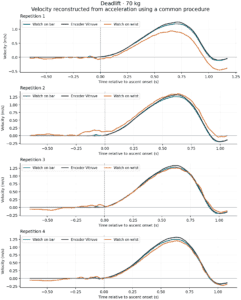
Comparison of baseline algorithm and Smart Zero repetition detection during four deadlift repetitions.
Comparison of the baseline algorithm and Smart Zero during four deadlift repetitions.

2. Use Apple Watch as a remotely controlled IMU

The Apple Watch can now take a more active role as a sensor during VBT sessions. Place the Watch on the bar and control it from your iPhone like another IMU.

From the iPhone, you can configure the set and the athlete while the Watch stays in position to measure the movement. This makes the workflow more practical for coaches, particularly when working with several athletes or when the sensor needs to remain attached to the bar.

Remote control is also available for jump measurements, helping keep the session setup consistent across different types of assessment.

Configure the measurement remotely from iPhone while the Apple Watch remains on the bar.

3. More independence for athletes using Apple Watch

When the Watch is being used as the sensor, athletes can now change their profile directly from the Watch. This gives them more autonomy without forcing the coach to interrupt the measurement setup on the iPhone.

It is a small change with a meaningful impact in shared training environments: leave the Watch on the bar, let the next athlete select their profile, and keep the session moving.

Select an athlete profile directly from Apple Watch.

4. Review the raw signal with IMU Data Playground

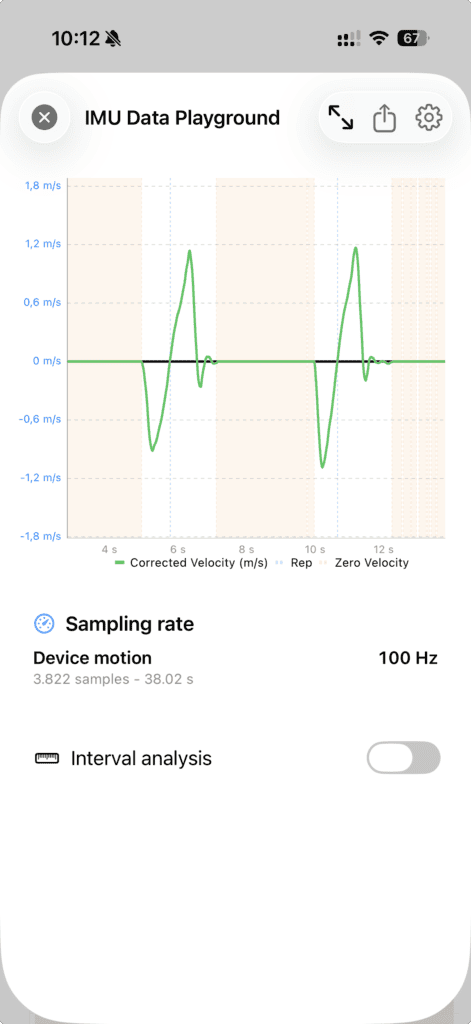
Every measurement has a signal behind it. IMU Data Playground makes that signal visible: save the raw IMU data from a set, reopen it from the session history, and inspect it whenever a result needs a closer look.

Transparency is the central idea. Access to the raw signal has been essential to improving our own algorithm, helping us identify and correct issues in the way data is processed. We decided to make the same tool available to every user, so you can see the data behind a result rather than relying only on the final velocity value.

It can also be used to capture raw Apple Watch data from any movement and process it later. Whether you are testing a new exercise setup, investigating an unusual result, or sharing data with Spleeft support, you keep the information needed to understand how that result was produced.

Raw data is synced through iCloud, so that a coach can review the signal when there is any reason to suspect a measurement issue. Because these files use iCloud storage, saving is optional and can be enabled from Settings. You can also choose an automatic deletion period for older raw data, or keep it indefinitely. Learn more about iCloud and TrainingPeaks integration in Spleeft.

There are two capture modes. The standard, reduced payload saves the acceleration and gravity axes needed to reprocess the signal while keeping storage use lower. Lab Mode also records the gyroscope and additional high-frequency sensor streams. We recommend Lab Mode only when you need data from every available sensor for a detailed analysis.

IMU Data Playground showing corrected velocity, detected repetitions, zero-velocity intervals, and sampling rate.
IMU Data Playground showing the signal behind a measurement.

5. Two new ways to understand each repetition

This update adds two new VBT metrics:

  • Mean Propulsive Velocity (MPV): the average velocity during the propulsive phase of the repetition. Its calculation is explicit: for iPhone measurements, Spleeft evaluates the acceleration stream at 100 Hz and marks the beginning of braking after three consecutive samples below −9.81 m/s². For incline leg press, the threshold is adjusted to account for the angle of the rails. Apple Watch measurements use the sampling frequency selected by their measurement mode (100 or 200 Hz). This is a clear, inspectable rule rather than a hidden metric.
  • Time to Peak Velocity: the time required to reach the fastest point of the repetition.

Not every lift includes a meaningful braking phase during the concentric movement. For that reason, it is common for mean velocity and MPV to be identical in many repetitions. Together, these metrics add useful context to the velocity of a lift: MPV helps describe the propulsive phase, while Time to Peak Velocity can help you understand how quickly force is being expressed.

As with peak velocity, MPV is not limited to the result of a single set. You can select it throughout Spleeft—in real-time feedback, session review, history and trends—and use it to create and analyse your Load–Velocity Profiles. We will publish a more in-depth explanation of these calculations soon.

Built for real coaching environments

Behind these features is one practical idea: VBT should adapt to the way coaches and athletes already work. Whether you are measuring alone, coaching a group, using an Apple Watch on the bar, or investigating an unexpected repetition, this update gives you more control over the process and more context around the result.

Online coaching is a particularly important part of that vision. Through iCloud, coaches can keep athlete profiles and training data connected, receive sessions from their athletes, and review the information they need without adding unnecessary friction to the athlete’s workflow. Combining reliable measurements, access to the underlying signal when needed, and iCloud-based collaboration makes it easier to coach from anywhere while staying close to what happens in every set.

More improvements throughout the app

Alongside the main features, this update includes many smaller improvements that make the day-to-day experience more reliable and easier to understand:

  • More helpful measurement feedback. Spleeft now provides clearer recommendations when the signal suggests that a short pause, a cleaner resting position, or a different setup could improve the result.
  • Adaptive measurement modes. When the signal is stable, Spleeft can recommend Boost for faster feedback. When it detects repeated drift, it can automatically move to Balanced mode to prioritise consistent measurements. You can still change the mode yourself at any time.
  • Clearer explanations of processed data. When a repetition has been recalculated to improve accuracy, the app explains why. Load–Velocity Profiles also include diagnostics that show how usable repetitions and loads were selected.
  • A stronger iCloud workflow for online coaching. We have improved the way athlete profiles, sessions, raw data, and Watch transfers are kept in sync. Spleeft also gives a clear warning if iCloud storage is full, so you know when new sessions are being kept locally instead of syncing.
  • More flexible imports and platform sync. Athlete data can be imported from CSV and XLSX files, with broader compatibility for supported VBT devices. Workouts recorded with Apple Watch or manually imported into a personal profile can also be synced automatically with Intervals.icu and Strava, while TrainingPeaks sync now gives clearer information when a provider permission or account limitation prevents part of an upload.

Update Spleeft on iPhone and Apple Watch to try the new workflow.

分享此帖:

发表评论

您的电子邮箱地址不会被公开。 必填项已用 * 标注

您也可能感兴趣

截图 2026 04 25 at 11.09.40 268x300 - VBT Intelligence:Spleeft 的新更新。.
更新

VBT Intelligence:Spleeft 的新更新。.

在过去的几个月中,我们一直在开发三项新功能:运动员训练课程的详细人工智能摘要、这些摘要的同步化

zh_CN