0. Per coloro che non hanno familiarità con l'allenamento basato sulla velocità
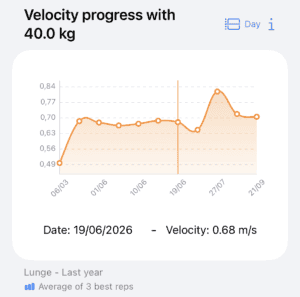
L'allenamento basato sulla velocità (VBT) consiste di monitorare la velocità di esecuzione di ripetizioni eseguite con la massima intenzione per prescrivere e controllare l'allenamento della forza in modo oggettivo. Il VBT consente di regolare il carico giornaliero in base ai livelli di affaticamento, motivare gli atleti con feedback in tempo reale e tracciare con precisione i progressi a lungo termine. Misurando la velocità, è possibile determinare esattamente cosa percentuale del massimo ad una ripetizione (%1RM) viene sollevato senza che sia necessario raggiungere il cedimento muscolare durante il test.
In questo link, è possibile porre domande al nostro NotebookLM personalizzato, alimentato da fonti di alta qualità, per saperne di più sul VBT e su come applicarlo con Spleeft.
1. Scaricate Spleeft e provatelo voi stessi
Per supervisionare i vostri atleti, dovete prima padroneggiare gli strumenti che utilizzeranno. Scaricate l'app e provate voi stessi a misurare la velocità con il vostro iPhone o Apple Watch. L'app vi guiderà attraverso il processo. È possibile effettuare il test anche da casa; non è necessario andare in palestra per la prima prova.
2. Collegamento tra atleta e allenatore
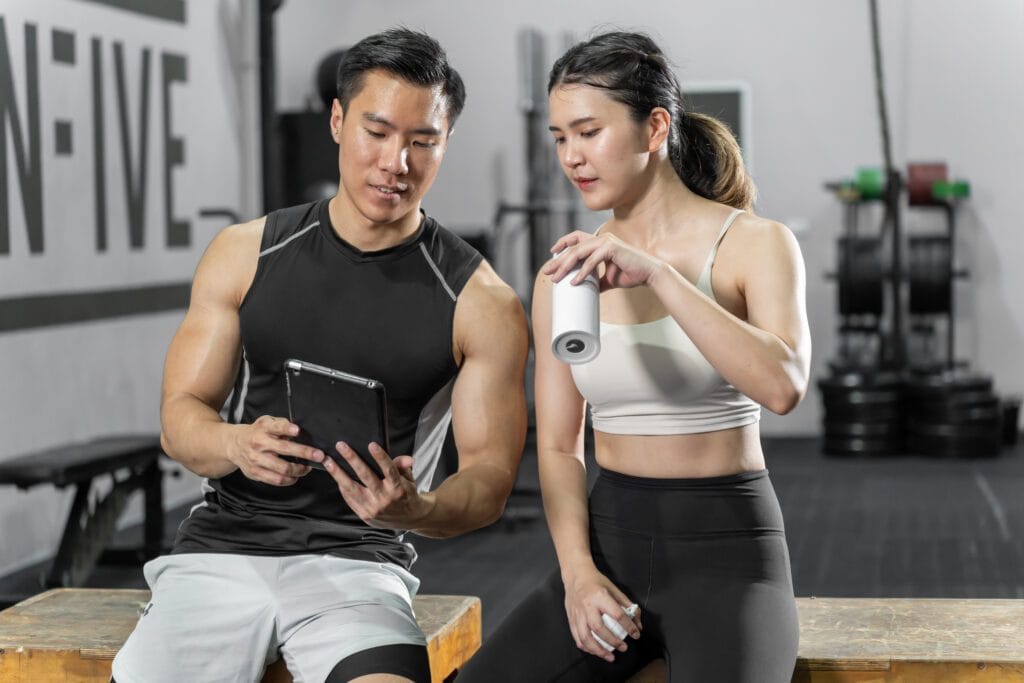
Chiedete ai vostri atleti di scaricare Spleeft e di seguire questo percorso: Profilo → Condividi con un allenatore. A questo punto, dovrebbero generare un link e inviarlo all'utente tramite messaggio o e-mail. Facendo clic sul link, accetterete l'invito e i loro dati inizieranno a comparire nel vostro profilo. Ricordate che, in quanto coach, avete bisogno di un profilo attivo. Allenatore di Spleeft per aggiungere atleti al proprio account.
Per saperne di più su questa fase.
Una volta completata questa fase, riceverete automaticamente i dati degli atleti sui vostri dispositivi.
3. Gestione dell'importazione e dell'archiviazione dei dati
Se i vostri atleti hanno esaurito lo spazio di archiviazione di iCloud o utilizzano dispositivi Android con codificatori manuali, esistono alternative per ricevere le loro informazioni. Gli atleti possono esportare i dati grezzi di un giorno specifico della loro storia e vi invierà il file per una rapida importazione nella vostra applicazione. Inoltre, Spleeft supporta la funzione Importazione manuale di file .xlsx e .csv, nonché i dati provenienti da altri dispositivi di misurazione della velocità.
4. Sincronizzazione con TrainingPeaks
Per un flusso di lavoro ancora più comodo, chiedete ai vostri atleti di collegare i loro account a Impostazioni → TrainingPeaks. Una volta collegati, i dati della sessione verranno caricati automaticamente. Sarà possibile vedere la velocità di esecuzione nel canale “Velocity/KPH” e il carico nel canale “Cadence/RPM”. Un riepilogo generato dall'intelligenza artificiale sarà incluso nei commenti, in modo da poter decidere rapidamente se è necessaria un'analisi più approfondita.
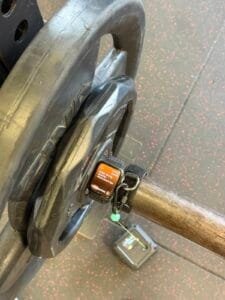
5. Insegnate loro come misurare con l'iPhone o l'Apple Watch.
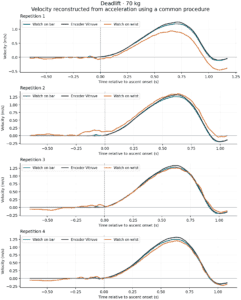
La precisione dipende dalla tecnica di misurazione corretta. Istruire gli atleti a fare una breve pausa tra le ripetizioni (di solito è sufficiente meno di un secondo) per consentire all'algoritmo di ricalibrare il segnale. Si deve attendere che il segnale l'indicatore sullo schermo diventa verde (o che l'Apple Watch vibri in modalità “Boost”) prima di iniziare la ripetizione successiva. È fondamentale che eseguano la fase concentrica con massimo intento volontario affinché i dati siano validi per le regolazioni del carico.
Spleeft è un convalidato strumento, ma è necessario sapere come utilizzarlo correttamente.
6. Sincronizzazione con altri dispositivi
Se già lavorano con altri sistemi, insegnate ai vostri atleti a utilizzare il sistema iOS “Estensione dell'azione”.” Dall'applicazione del loro dispositivo (come Vitruve, ADR Encoder o OVR), devono toccare “Condividi” e selezionare “"Sincronizza i dati VBT con Spleeft."” Spleeft è direttamente compatibile con dispositivi come Velocità OVR e Salto OVR, centralizzando tutti i dati VBT e di salto in un unico luogo. Se si usa un dispositivo non nativo, Spleeft utilizza un Modello AI per elaborare e salvare i dati nel loro formato.
Mettiamo a disposizione questo taccuino per porre tutte le domande che desiderate. Ricordate che se rappresentate un club o organizzazione, potete contattarci all'indirizzo info@spleeft.app per un'assistenza personalizzata nell'implementazione del VBT.